
The network behind every call.
Structured cabling, wireless networks, network testing and PBX relocation.
Built to keep your office running
Network Cabling
Professional Cat6 and Cat7 structured cabling installations for new and existing offices.
See how it worksWireless Network
Reliable, secure Wi-Fi coverage designed and installed for your office layout.
See how it worksNetwork Testing
Thorough testing and diagnostics to make sure your network performs when it matters.
See how it worksPBX Relocation
Moving office? We'll relocate your phone system with minimal disruption to your business.
See how it worksNetwork cabling for business
As technologies advance, it's important to keep your office cabling network up to industry standards so you can access new products as they come online. We install market-standard Cat6 and Cat7 cabling for your office network and to connect to the internet.
Network Cabling Installation Process
Survey of the office building
The assigned engineer to the project will do a site visit on the agreed time and date with the customer. A site visit is needed to know the structure of the building. After the visit, a network design plan is laid out to indicate where to run cables.
Acquisition of materials needed
The site visit gives the engineer an idea of the materials required. These materials can be a network cab, patch panels, a switch, boxes of Cat6 cables, modules, wall sockets, black boxes, face plates, RJ45s, cable trunks, cable ties, etc.
Setup and installation
The NetTraffic installation team will do any cabling work on the agreed time and date. Care is taken to ensure the removal of any dust, debris or waste materials generated during the works.
Testing of network points
The final piece of the picture is the testing of the network points' connectivity. Once all the points have been labelled, tested and verified, devices like computers and printers can be connected to the newly designed cabling infrastructure.
Wireless network
Most common wireless networks are the Wi-Fi connection you'd find at home, at work, or even in a public library. Wi-Fi is limited to a certain distance range, so to extend your wireless network you need a device called an access point (AP). The manufacturers we've tried and tested are Ubiquiti and TP-Link access points - robust and low-maintenance. Mesh technology is a growing trend in wireless networking, and both of these AP ranges support mesh setups.


Network testing
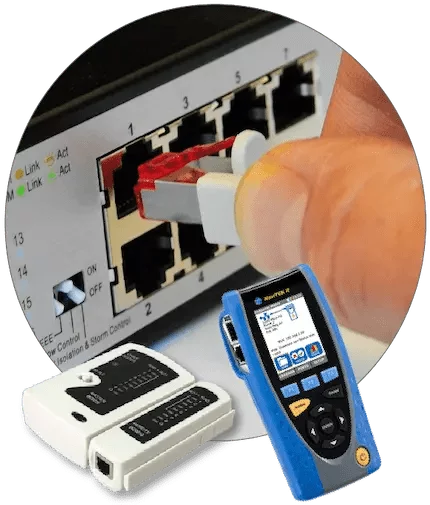
NetTraffic administers a 360-degree full testing of cables, from end users to the network cab and back - thorough diagnostics to make sure your network performs when it matters.
Phases in moving your phone system

The assigned engineer meets up with the company's designated person to discuss the relocation. The engineer will also visit the site to check the phone system's condition. If we support the phone system, the next course of action is planning.
When everything is agreed and decided in the first phase, the engineer lays out a plan for the move - the time and date, a detailed cost budget for the work, and the day the phone system goes live. This plan is then communicated to the designated person.
On the day of the move, the NetTraffic team makes sure that all devices are packed, labelled, moved and reinstalled accordingly.
All phone system equipment is tested by our technicians to ensure phones are working properly, the day before normal operation resumes.
The assigned engineer is on-site the day business operations return to normal, and stays for as long as needed to solve any issues that arise - guaranteeing a smooth transition.
Send us your address for a free quote
Email your business address (with Eircode if possible), name and company details to info@nettraffic.ie.